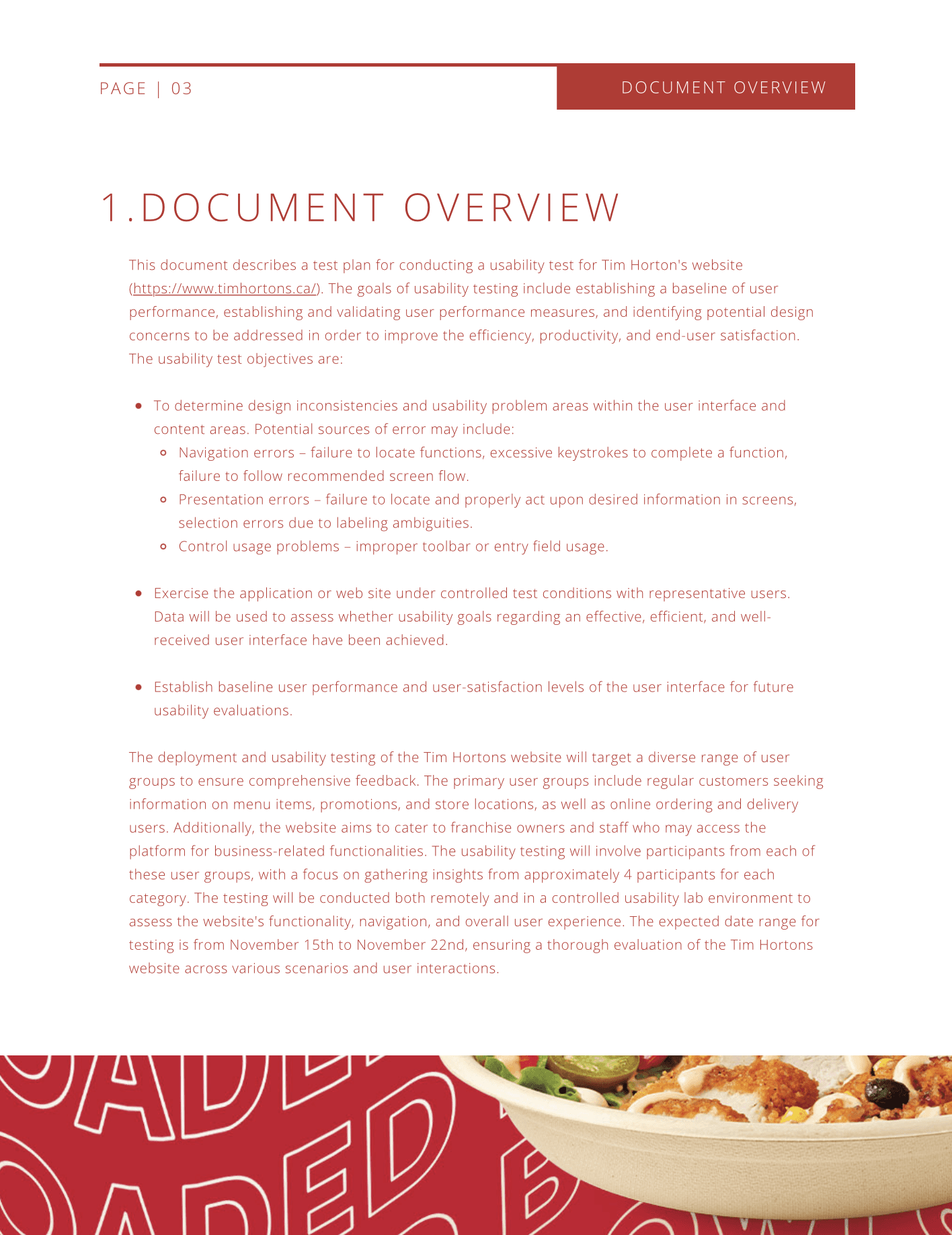
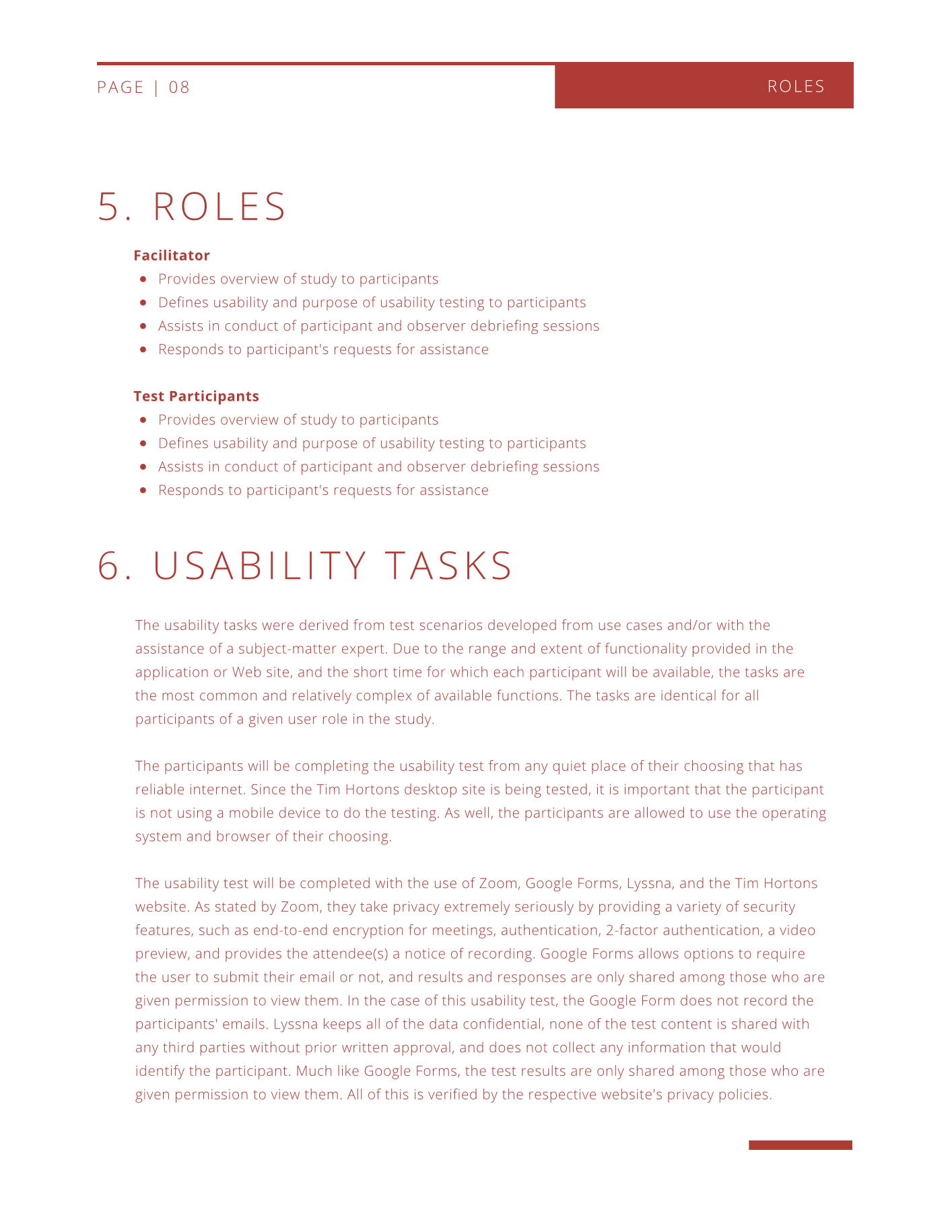
This project involves the development of a comprehensive test plan for conducting usability testing on Tim Horton's website (https://www.timhortons.ca/). The primary objectives include identifying design inconsistencies and usability issues, such as navigation errors, presentation errors, and control usage problems. Through a systematic and comprehensive approach, the project aims to pinpoint areas of improvement within the website's design and functionality, ultimately enhancing the overall user experience for visitors to the Tim Hortons site.
Overview
Timeline
Nov. 15th - Nov. 22nd, 2023
Toolkit
Figma, Miro Board, Lyssna
Role
In this project, I worked with a testing team to conduct remote usability sessions with five participants using video calls and screen sharing. I helped design and implement a series of tasks including a 5-second test, First Click test, user preference test, and think-aloud exercises.
Outcome
The findings revealed key usability issues in the interface, guiding actionable design improvements that enhanced clarity, navigation flow, and overall user satisfaction.
Process
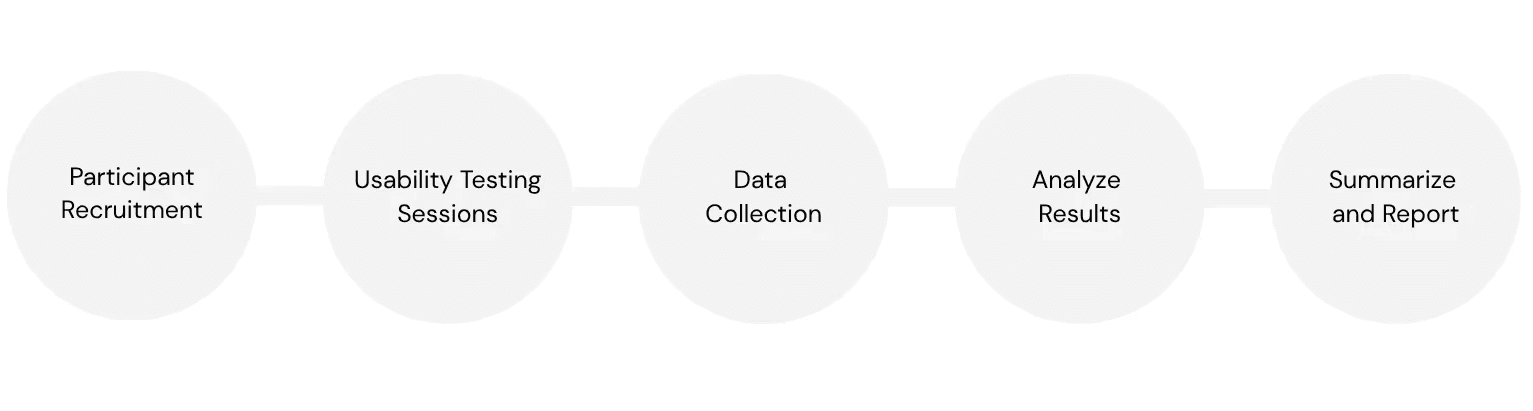
Methodology
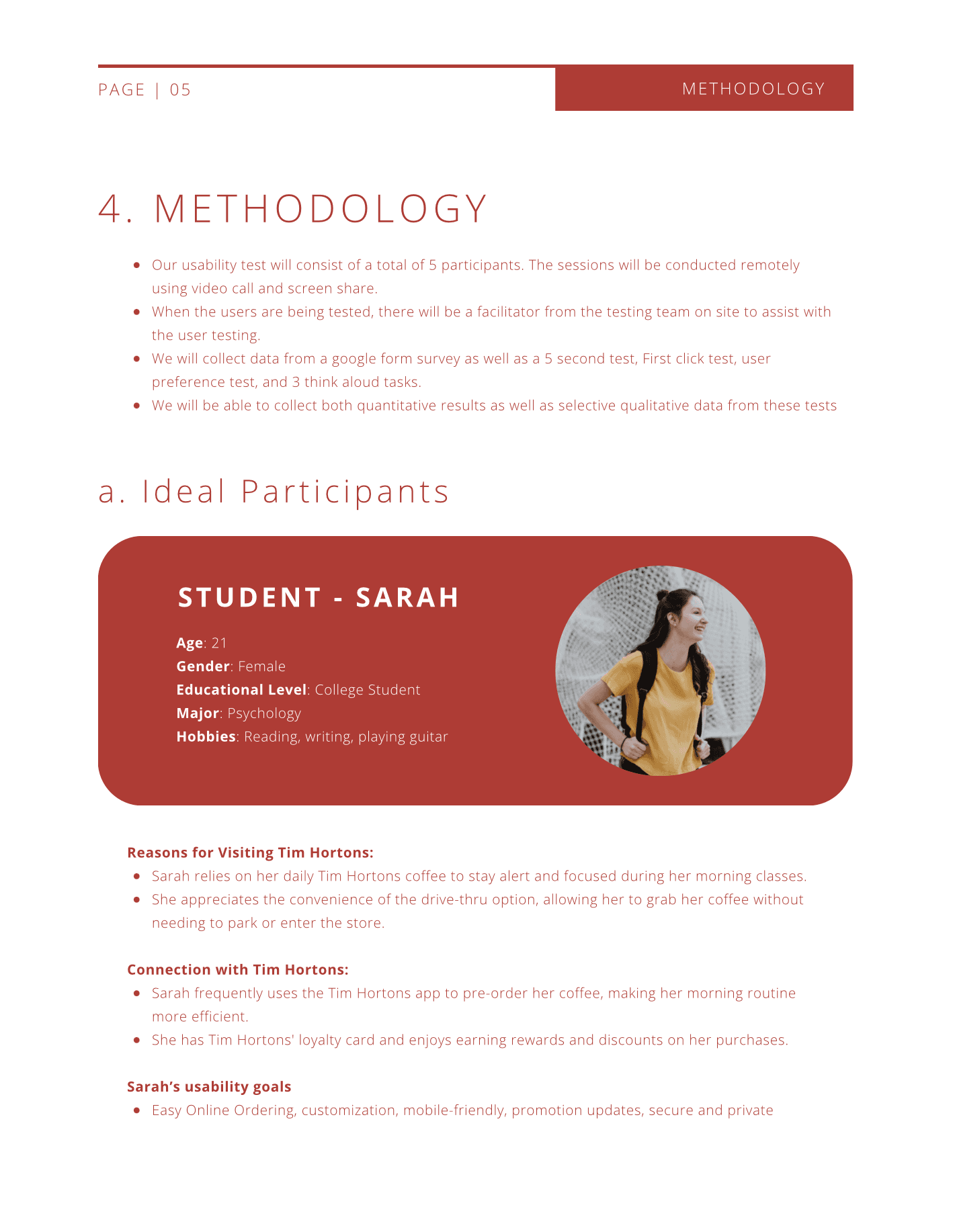
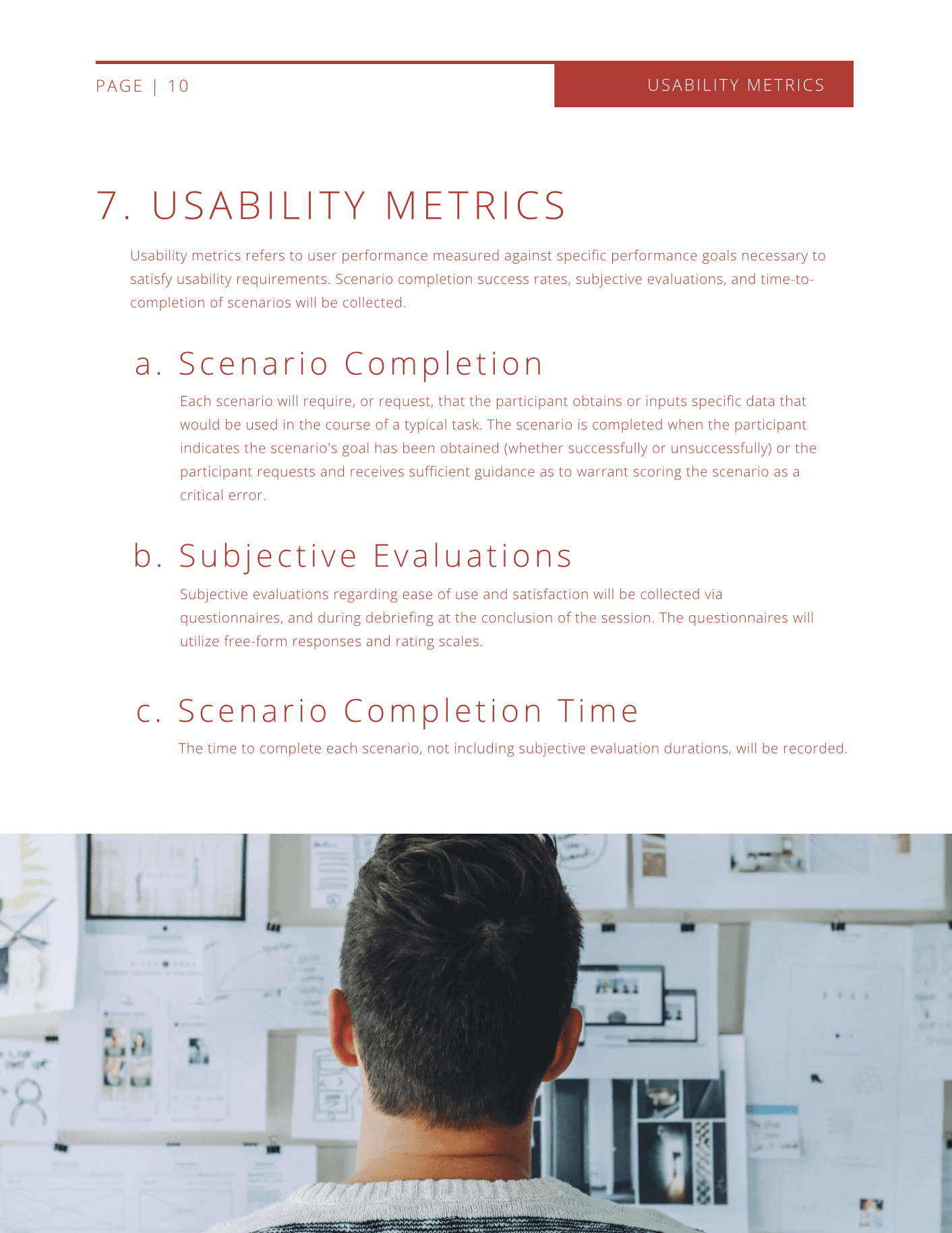
Our usability test will involve a total of 5 participants, and the sessions will be conducted remotely through video calls and screen sharing. During the testing process, a facilitator from the testing team will be present on-site to provide assistance to the users. Data will be collected through a Google Form survey and a series of tests, including a 5-second test, a First Click test, a user preference test, and three think-aloud tasks.
Usability Testing
Through a series of usability tests, the following key insights were identified to uncover user pain points and guide improvements for the Tim Hortons website.
Insight #1
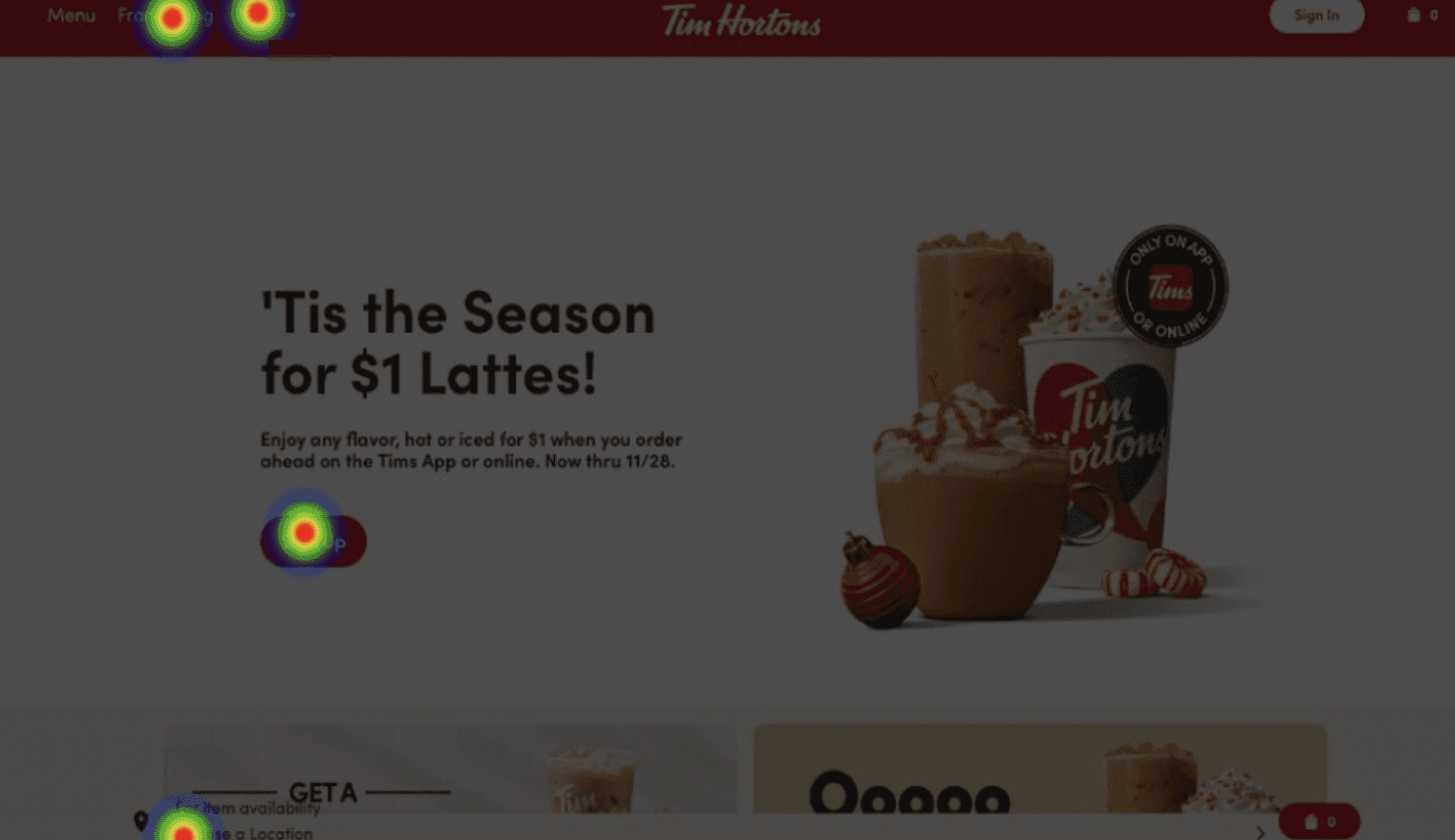
All 4 participants clicked different areas of the Tim Hortons homepage when asked to find the nearest location. Only 1 out of 4 users selected the most direct path, revealing unclear navigation and low consistency in user expectations.
Insight #2
3 out of 4 participants overlooked the “Choose a location” button located at the bottom of the page, indicating poor visibility and low discoverability of this key feature.
Insight #3
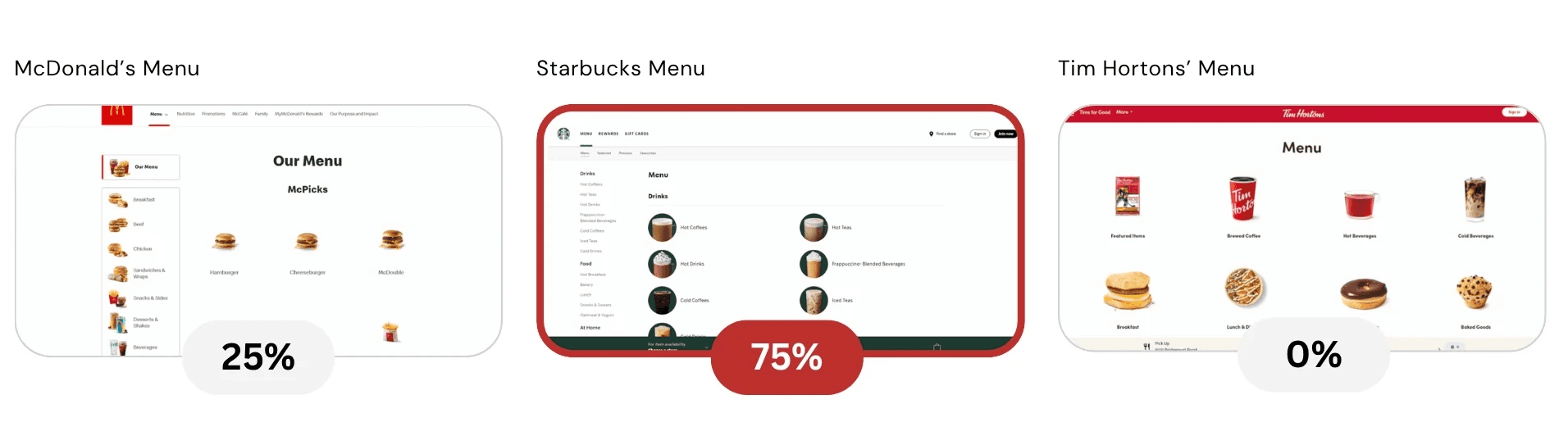
Only 1 out of 4 participants selected the Tim Hortons menu over McDonald’s or Starbucks. The Starbucks menu was most preferred due to its sidebar layout and cleaner organization.
Insight #4
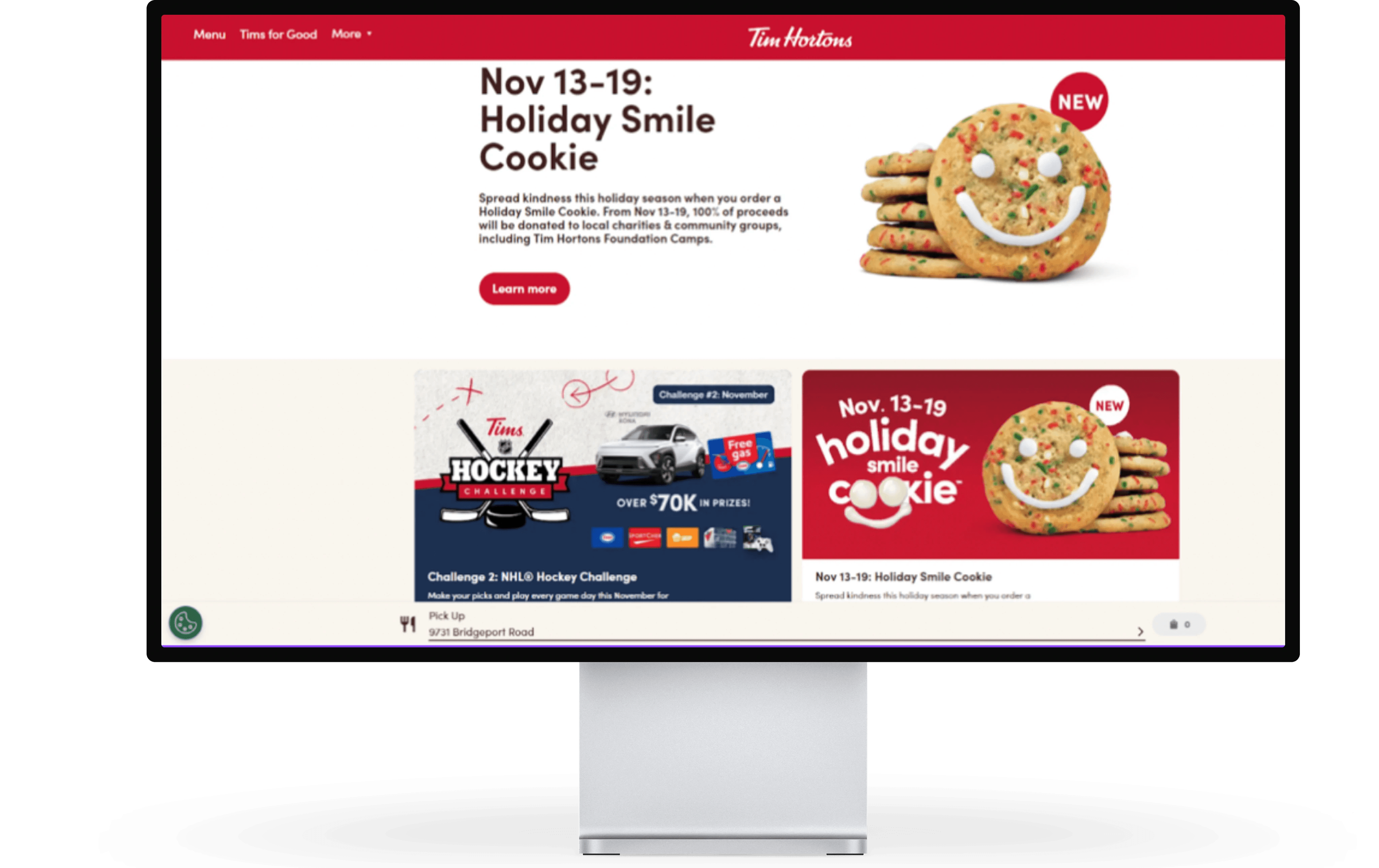
Participants overwhelmingly associated the brand with the product shown in the hero image. The main banner had the strongest visual impact, influencing user perception of what the company offers.
First Click Test
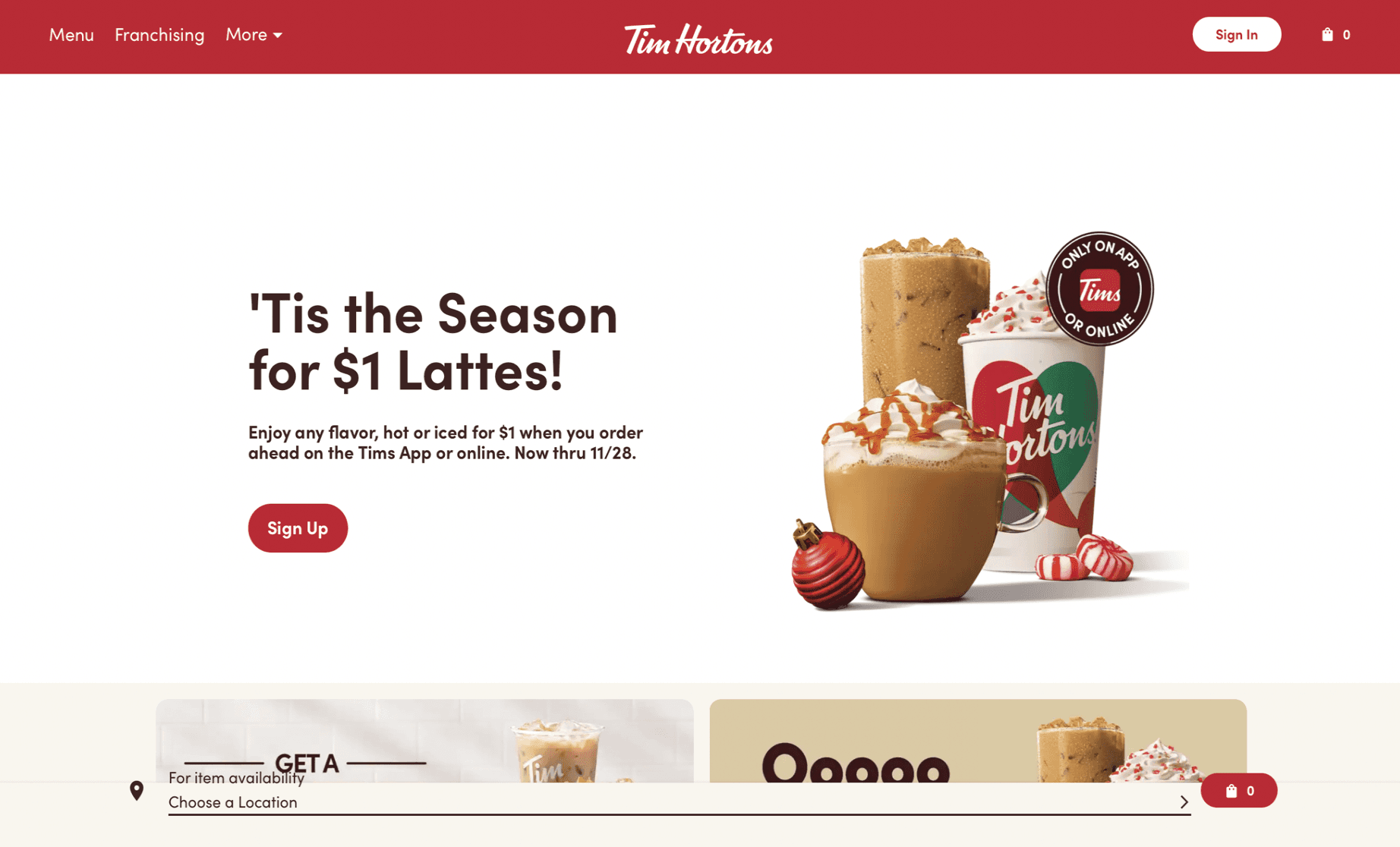
In the first click test, we displayed a version of the Tim Hortons home page to our participants and then asked where they would click to find the nearest location.
As shown in the heat map, all four of the participants clicked on a different part of the website to find the nearest location. Only one tester selected the most direct path to find the nearest Tim Hortons location. Another user selected an alternate, indirect way to access the store locator, which would require one additional mouse click (ie. through the “More” menu button in the navigation bar).
Preference Test
Preference testing involves asking users which design they prefer based on several options. We provided our participants with 3 different choices and asked them which they prefer. We showed our users the menu of Starbucks, Tim Hortons, and McDonald’s.
The preference test results reveal that Tim Hortons’ menu can be improved, such as implementing a sidebar menu system like Starbucks, which received the most votes from the testers. The results also show that visual menu systems are the right approach, as commented on for both the Starbucks and Tim Hortons menu.
5-Second Test
The 5-second test is a quick usability testing method to assess the first impression users have when they encounter a design or interface. The idea is to show participants a design or a specific screen for just 5 seconds and then ask them questions to evaluate their initial reactions and understanding.
From the 5-second test, we found that the main banner (hero image) and the text associated with the main image leaves a large impression on users. It causes them to associate the company with the product shown in the main banner.
Think Aloud Tasks
In a thinking aloud test, we asked the test participants to use the system while continuously thinking out loud — that is, simply verbalizing their thoughts as they move through the user interface.
Task #1:
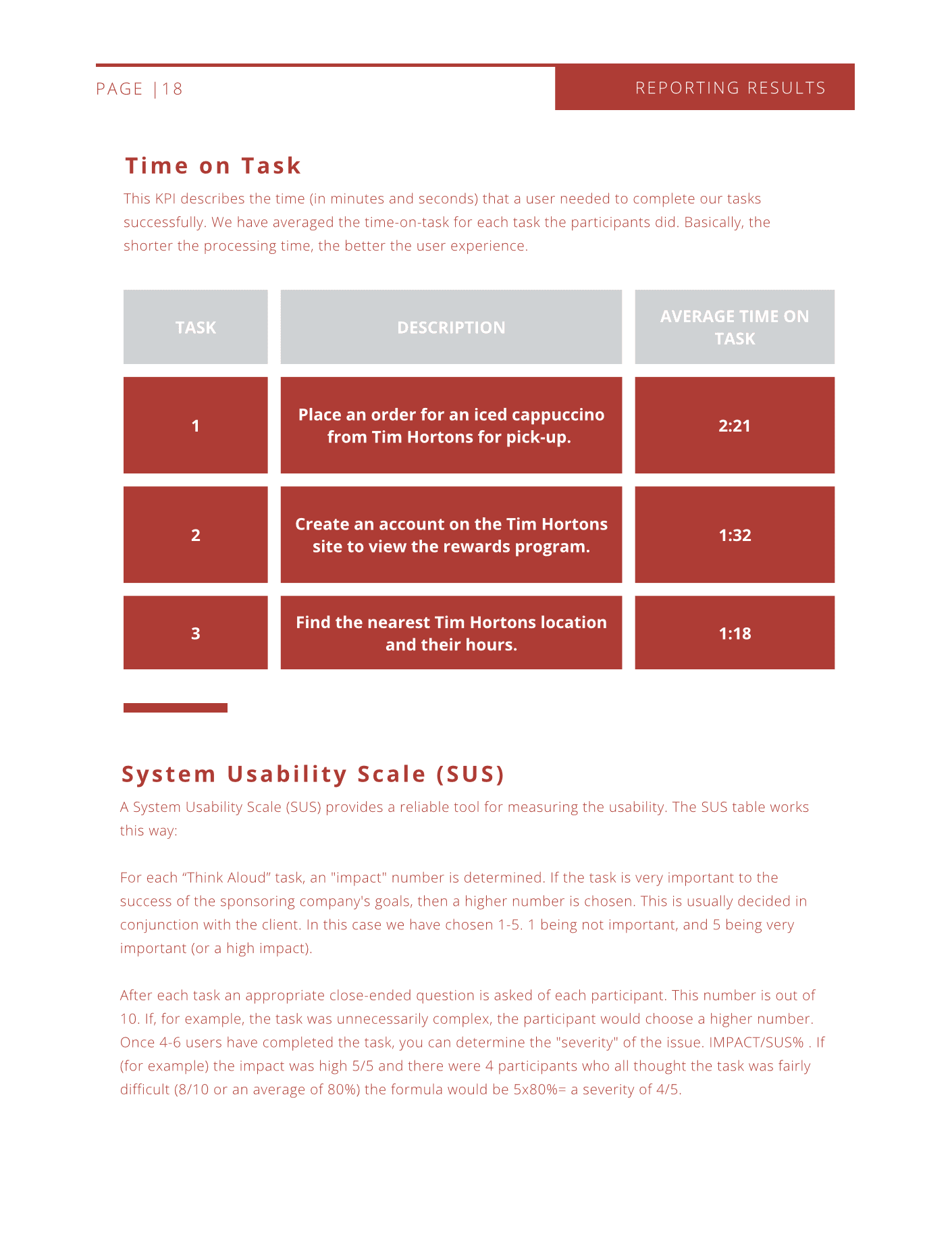
Imagine that it's summer and you're sitting on your couch. You realize that it's getting really warm and you would like a drink to cool down, but you don't want to go outside and wait in a line. Place an order for an iced cappuccino from Tim Hortons for pick-up. Stop when you get to the billing information page.
Comments:
• After selecting the location, the website led to a blank menu page. The user commented: “There’s nothing here. Is it supposed to be like this?”
• On the menu page, a tester commented: “I’m not too sure how the drink items are ordered. I’m not too sure where to look for an iced capp.”
• On the order page, a user commented: “I like how I can set the pick-up time.”
Task #2:
You are interested in seeing what rewards are available, since you frequently order from Tim Hortons. Create an account on the Tim Hortons site to view the rewards program.
Comments:
• “I don’t really know how to collect my rewards.”
• Users also found it difficult to locate the rewards program (see ‘Rewards menu button’ image)
Task #3:
You are meeting up with a friend at Lonsdale Quay and you want to grab some drinks and Timbits before you meet them. Find the nearest Tim Hortons location and their hours.
Comments:
• “You have to click into a location to view the hours.”
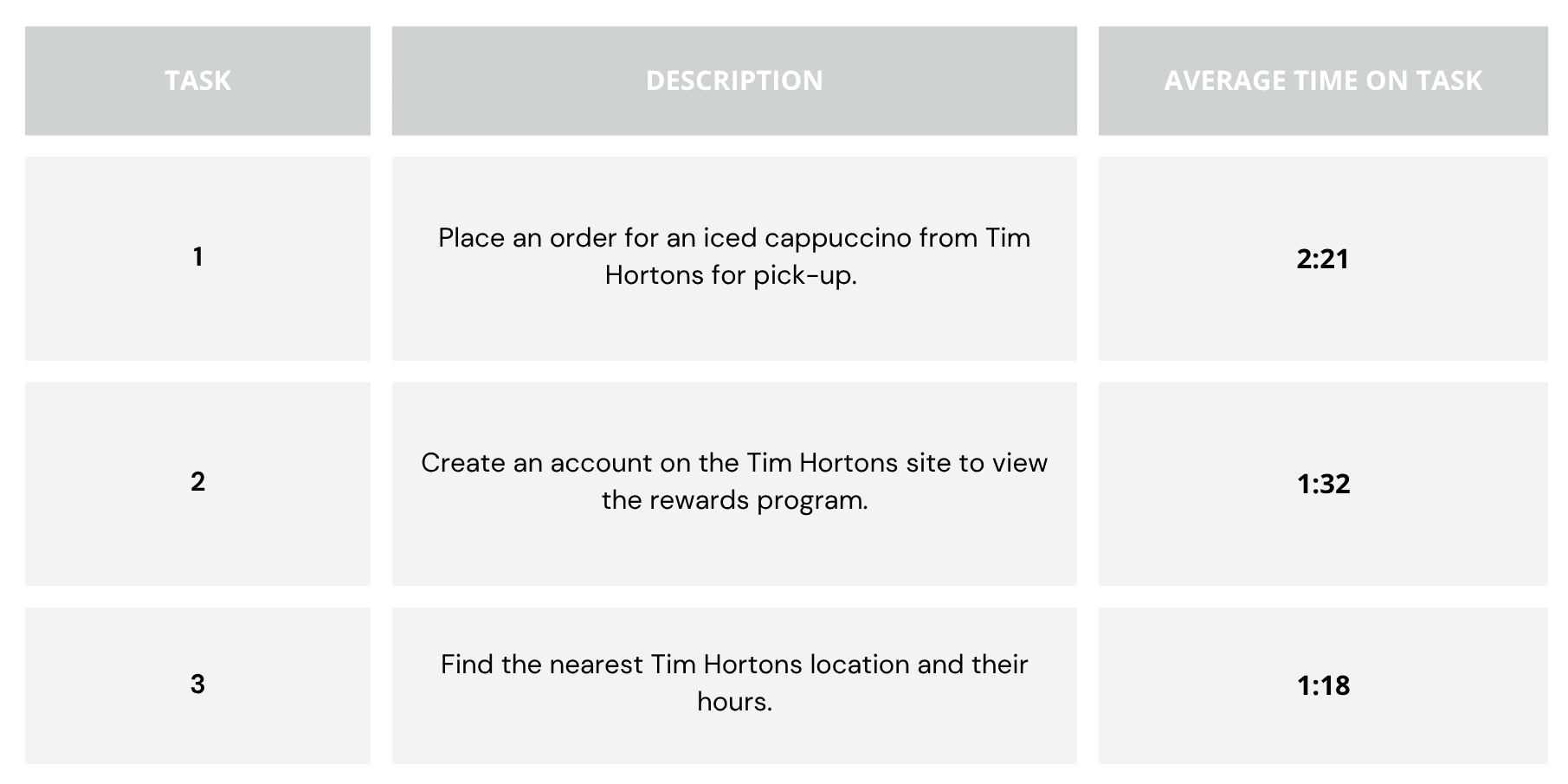
This KPI describes the time (in minutes and seconds) that a user needed to complete our tasks successfully. We have averaged the time-on-task for each task the participants did. Basically, the shorter the processing time, the better the user experience.
Using the System Usability Scale (SUS)
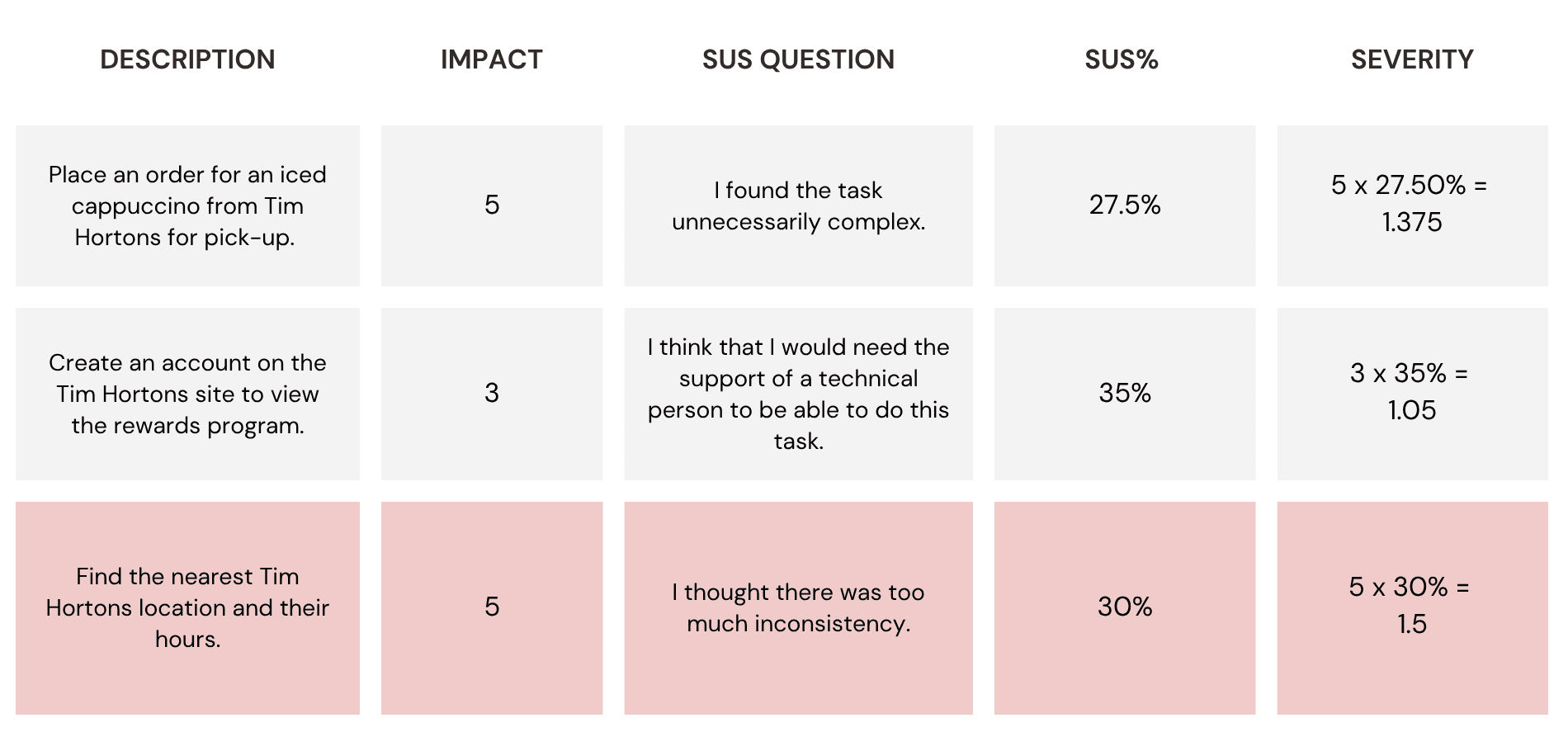
We then further used the System Usability Scale (SUS) to quantify the severity of usability issues by combining task impact ratings with participants’ post-task difficulty scores, allowing us to prioritize improvements based on both user feedback and business relevance.
The Design Opportunity
Insights from the user interviews begs the following guiding question:
Prioritizing UX Improvements Through ICE Framework
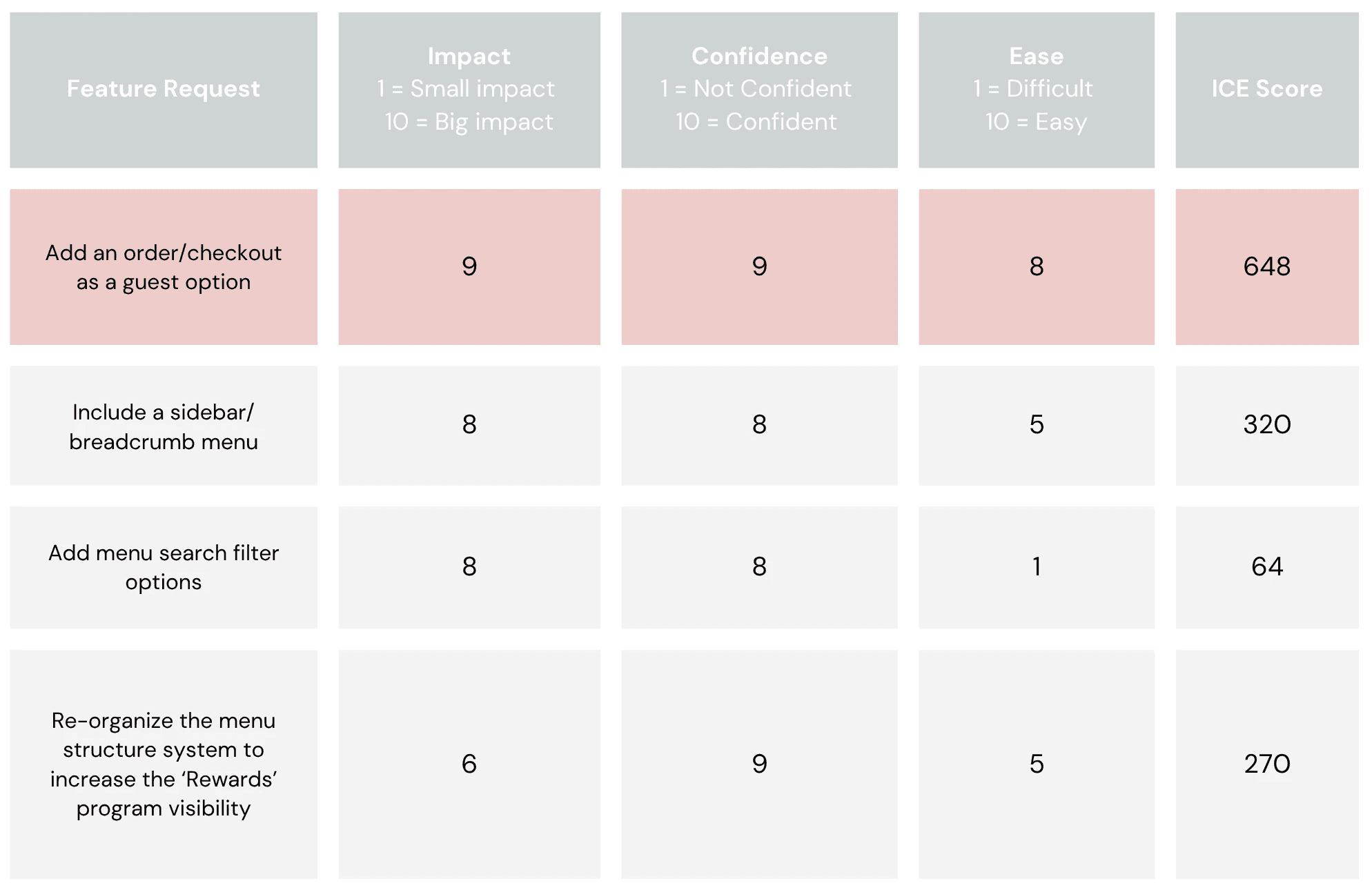
To prioritize design improvements based on user needs and business impact, we applied the ICE framework (Impact, Confidence, and Ease). Insights from SUS scores and user feedback were translated into actionable feature requests, such as restructuring the menu layout, enhancing search filters, and adding a sidebar navigation.
Future Directions
Moving forward, expanding the participant pool will help validate key findings across a more diverse user base. The next phase will involve translating usability insights into concrete design solutions through wireframing and prototyping. These concepts will be tested through A/B testing and iterative feedback cycles to evaluate improvements in navigation, menu visibility, and the rewards program interface. Continued refinement and validation will ensure the final solutions are user-centered, feasible, and aligned with business objectives.
Reflection and Takeaways
Using a variety of usability tasks is essential because no single method captures the full picture. Combining different approaches uncovers deeper, more nuanced user insights.
As a User Researcher Interviewee, I learned the importance of crafting clear, focused research strategies that balance thoroughness with time and resource limits. I gained experience designing and conducting various usability tasks such as first-click tests, think-aloud protocols, and preference tests, which together reveal different aspects of user experience and pain points.