Website Evaluation and Redesign
Redesigning a smoother, more intuitive recipe exploration experience for Serious Eats — a trusted food website with over 8 million monthly users. This UX case study examines the site’s current experience, identifies pain points, and proposes design improvements to better serve its community of passionate home cooks and food lovers.
Overview
Timeline
2 Weeks
Toolkit
Adobe XD
Role
As a UX Researcher and Designer, I followed a user-centered design process to conduct a comprehensive analysis of the website, identifying user needs and pain points that informed targeted improvements in the site’s redesign.
Outcome
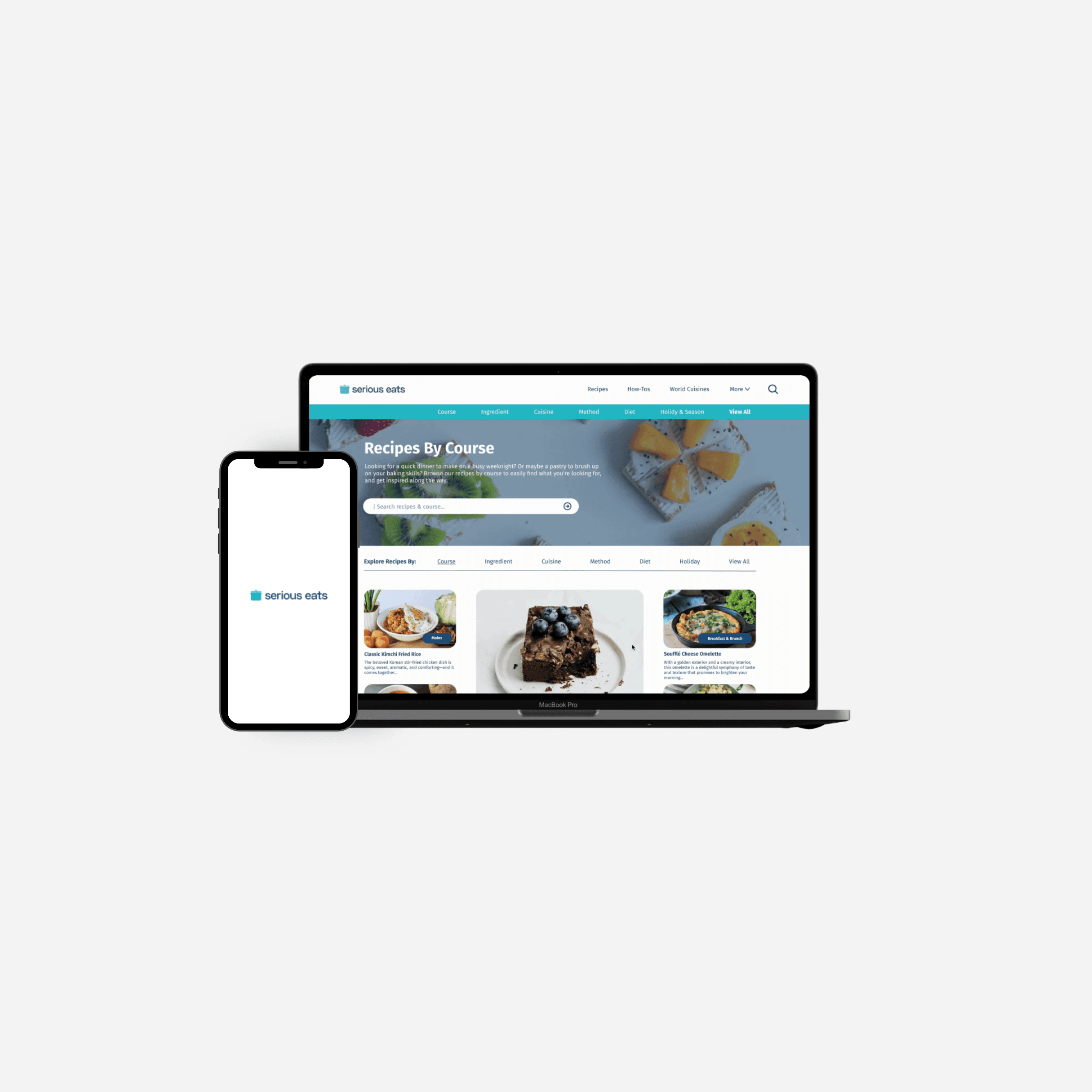
I redesigned website with improved usability and a more intuitive navigation experience, better addressing user needs and making it easier for food enthusiasts to explore recipes and related content efficiently.
Process

Empathize
Website Analysis
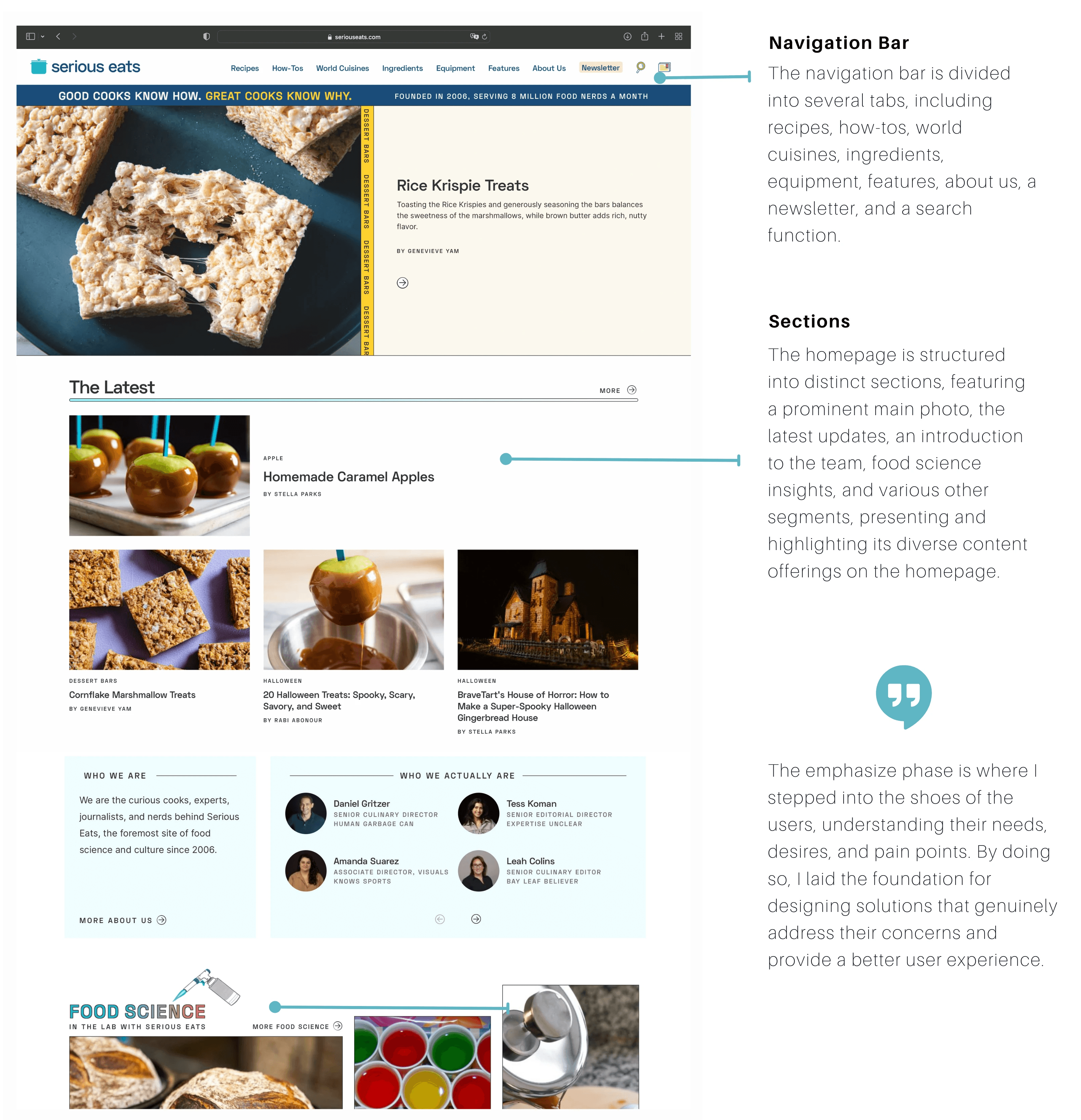
I began by analyzing the interface and design of Serious Eats' website, aiming to grasp its functionality and gain insights into the user experience it offers.
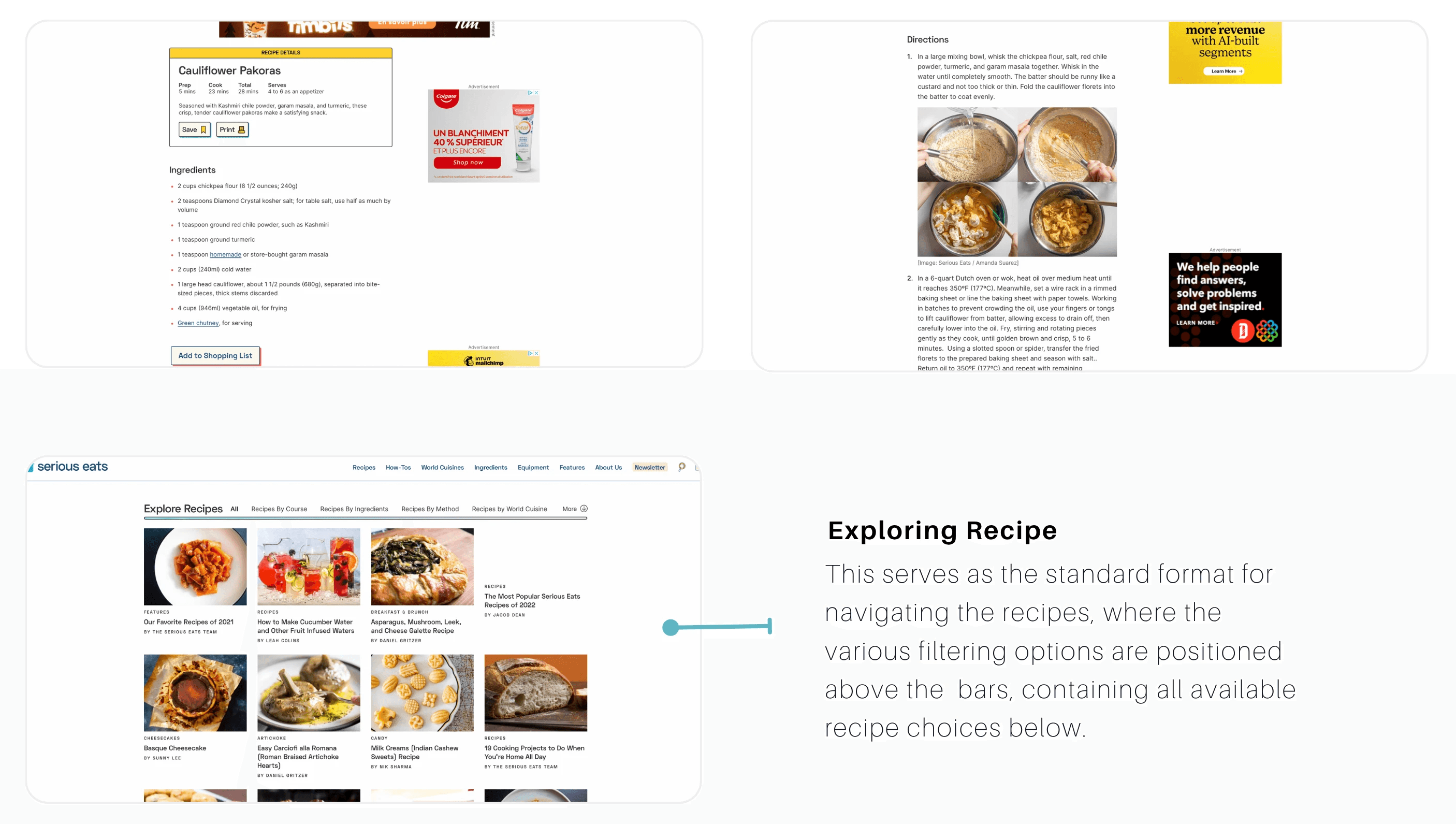
Immediately, I observed that the main page of Serious Eats features a substantial amount of content presented in what appears to be a random order. The overall aesthetic of the website carries a distinct and artsy vibe.
The core element of a cooking website is the recipe itself. Upon my initial observation, I noticed that there is a considerable amount of advertisements and textual content on the page. The crucial ingredient list and recipe details, which I presume users prioritize when preparing a dish, are positioned in the lower-middle section of the page. Additionally, while there are accompanying photos to assist with the instructions, the text within the directions section appears to be rather extensive.
Define
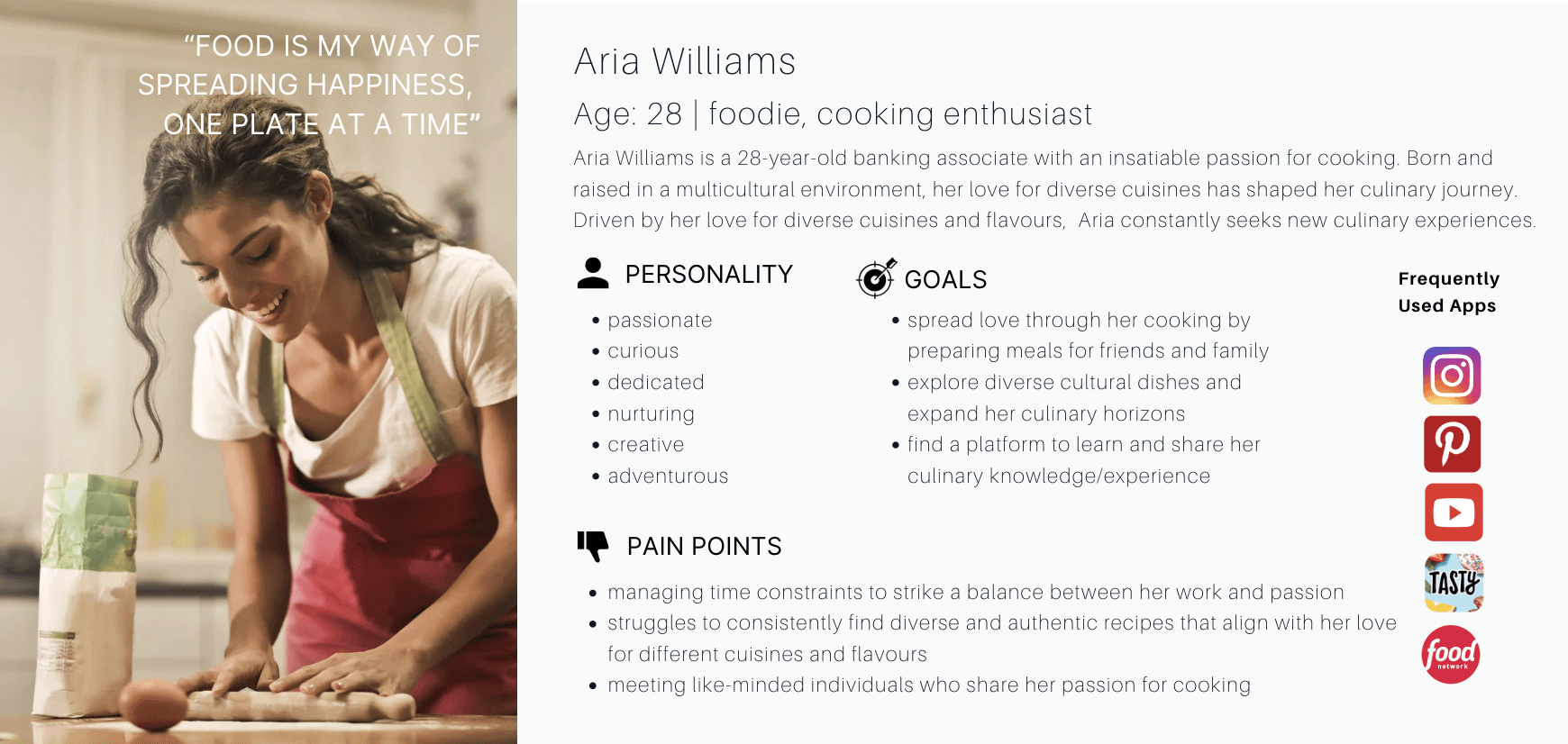
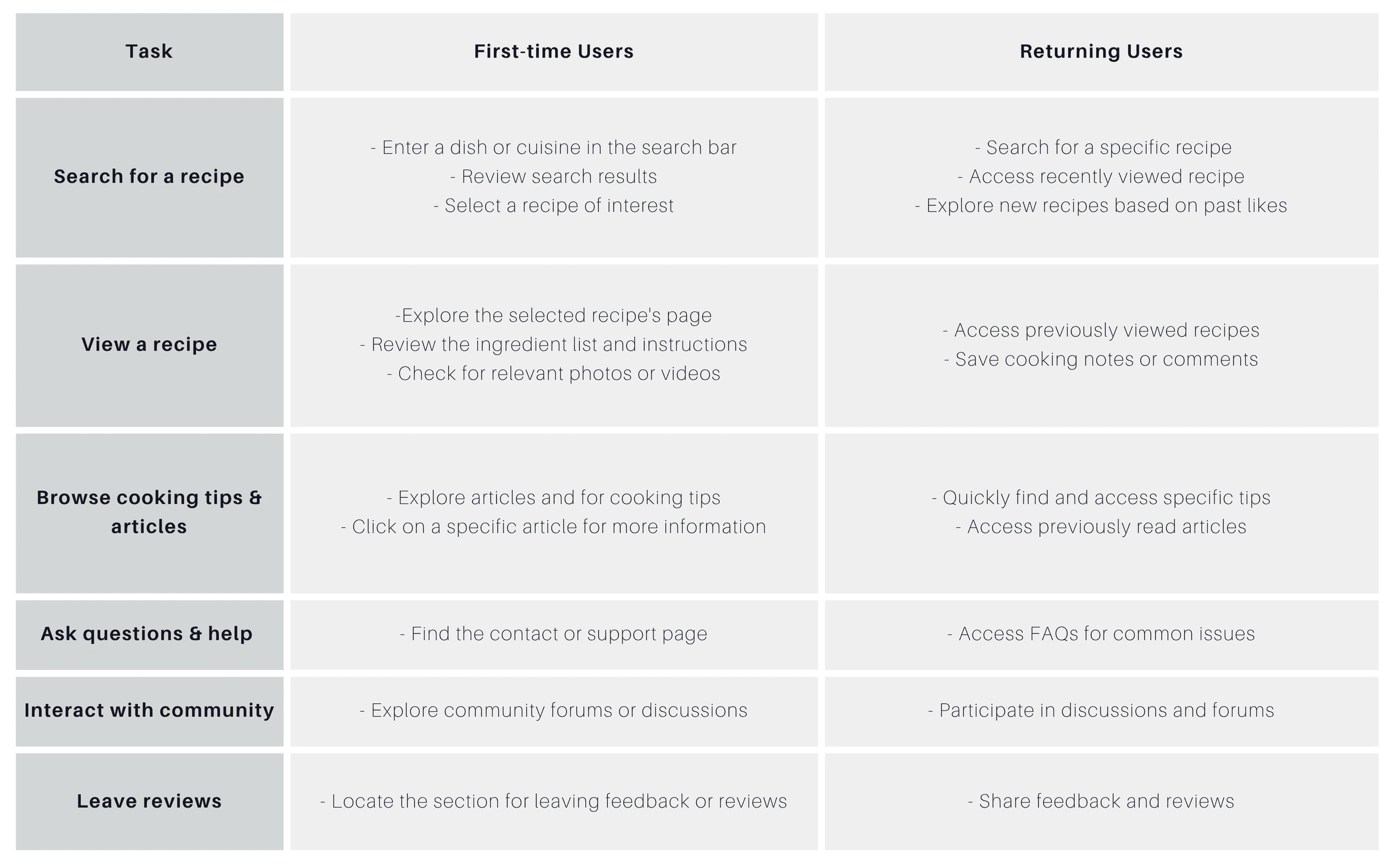
The second step in providing an effective user experience is to define who the users are, their needs, behaviors, and goals. Therefore, I developed a user persona and task analysis to emphasize their anticipated personalities, behaviours, interests, and needs.
User Persona
Task Analysis
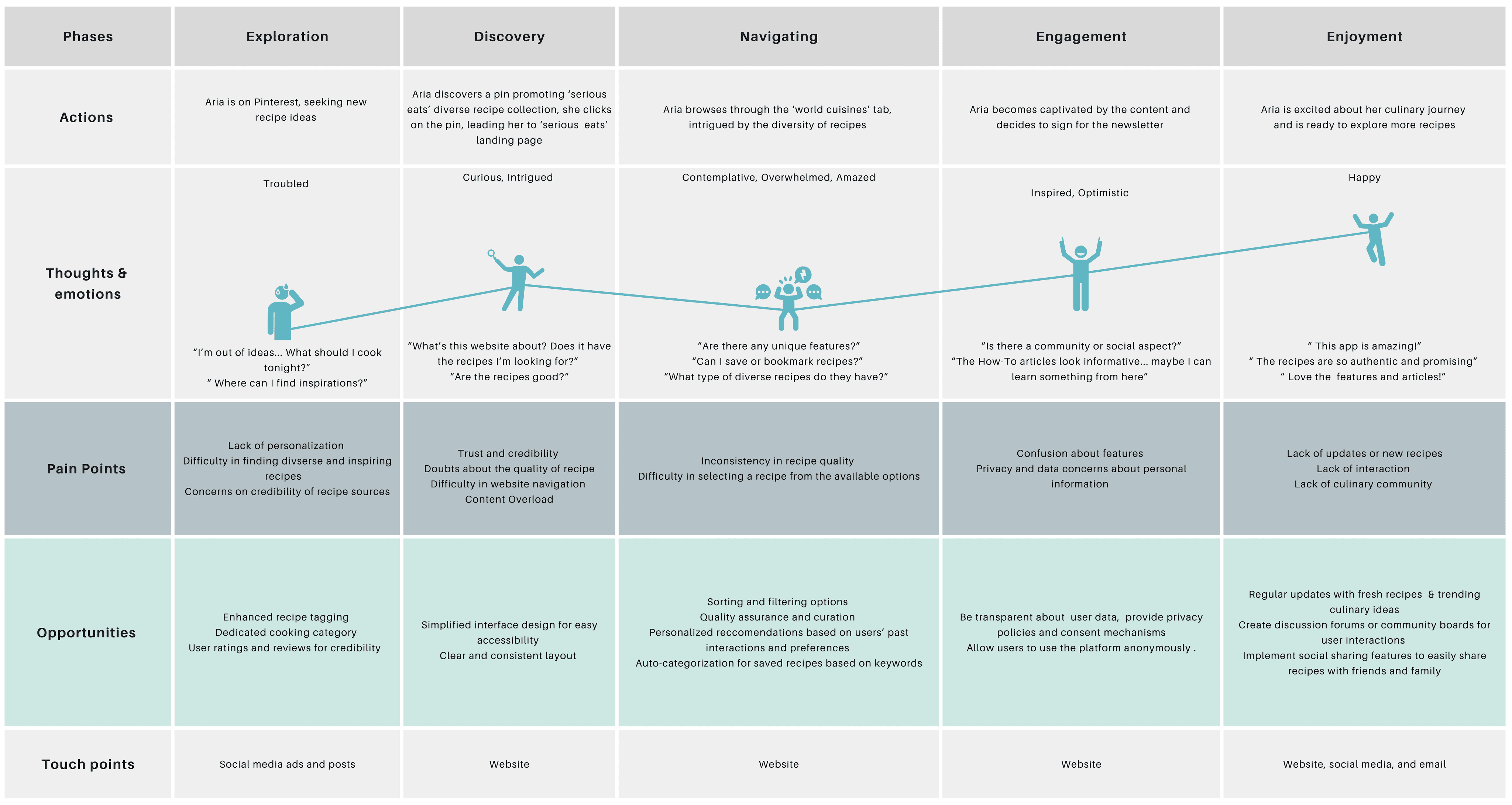
Journey Map
Pain Points
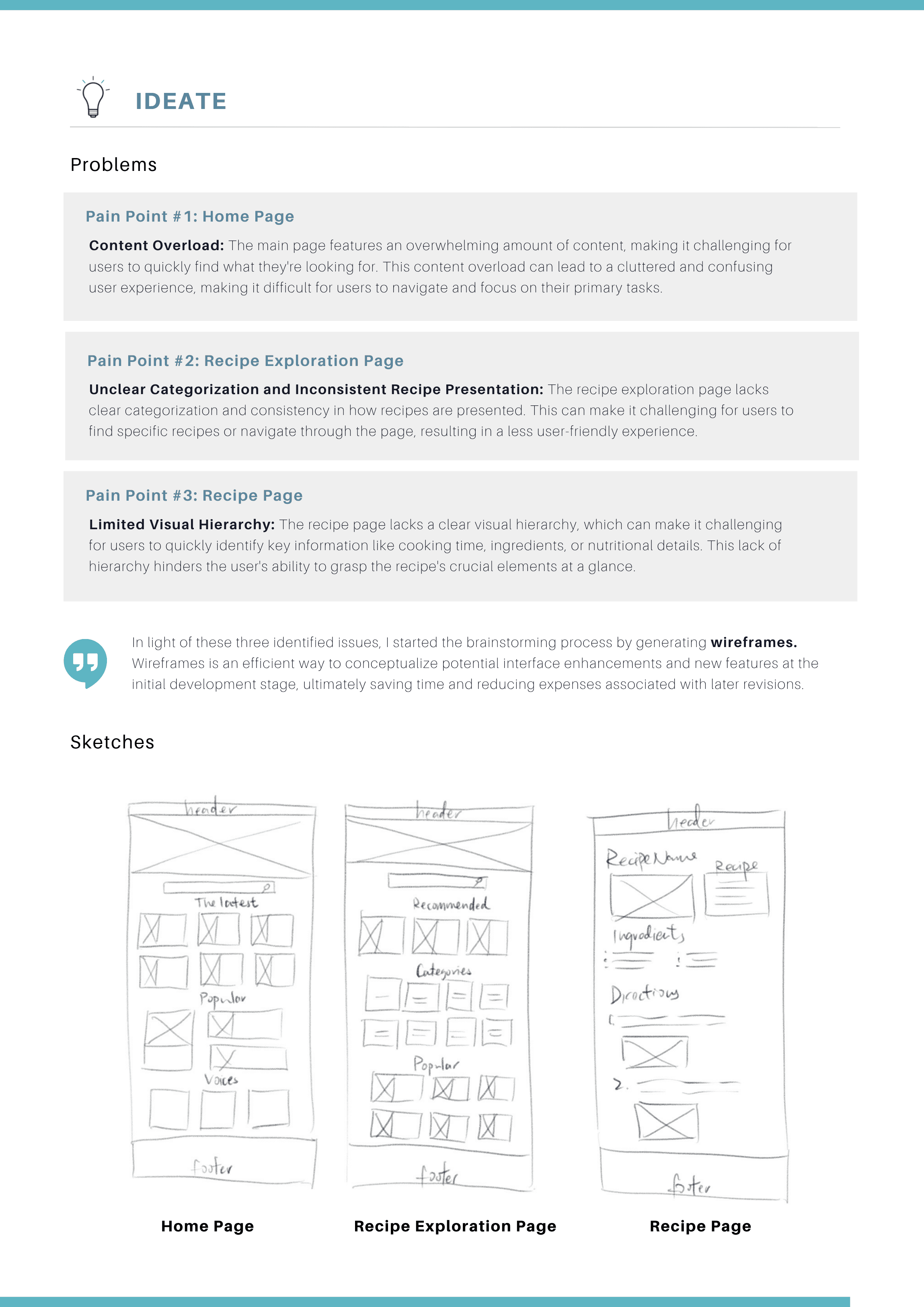
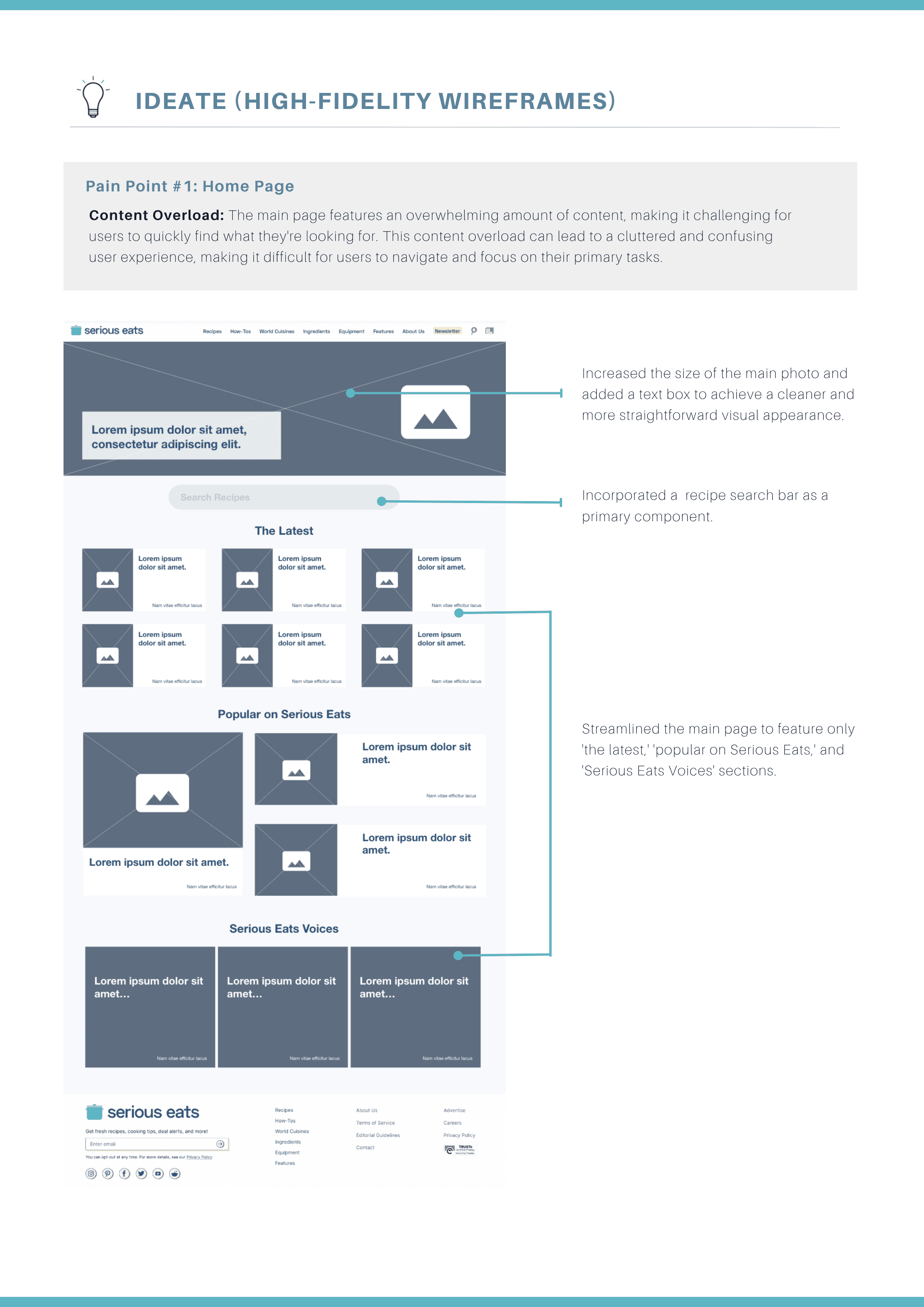
Content Overload: The main page features an overwhelming amount of content, making it challenging for users to quickly find what they're looking for. This content overload can lead to a cluttered and confusing user experience, making it difficult for users to navigate and focus on their primary tasks.
Unclear Categorization and Inconsistent Recipe Presentation: The recipe exploration page lacks clear categorization and consistency in how recipes are presented. This can make it challenging for users to find specific recipes or navigate through the page, resulting in a less user-friendly experience.
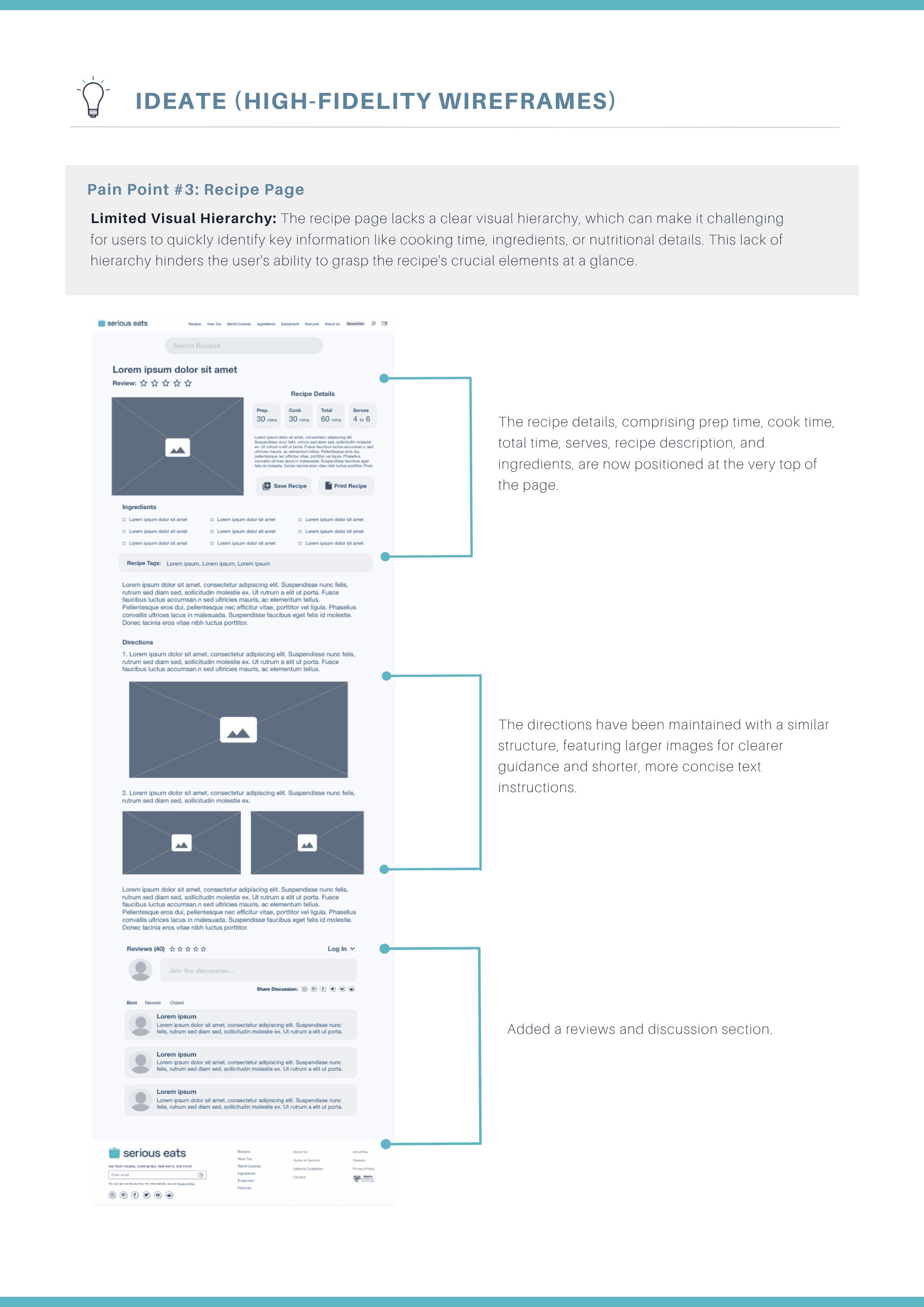
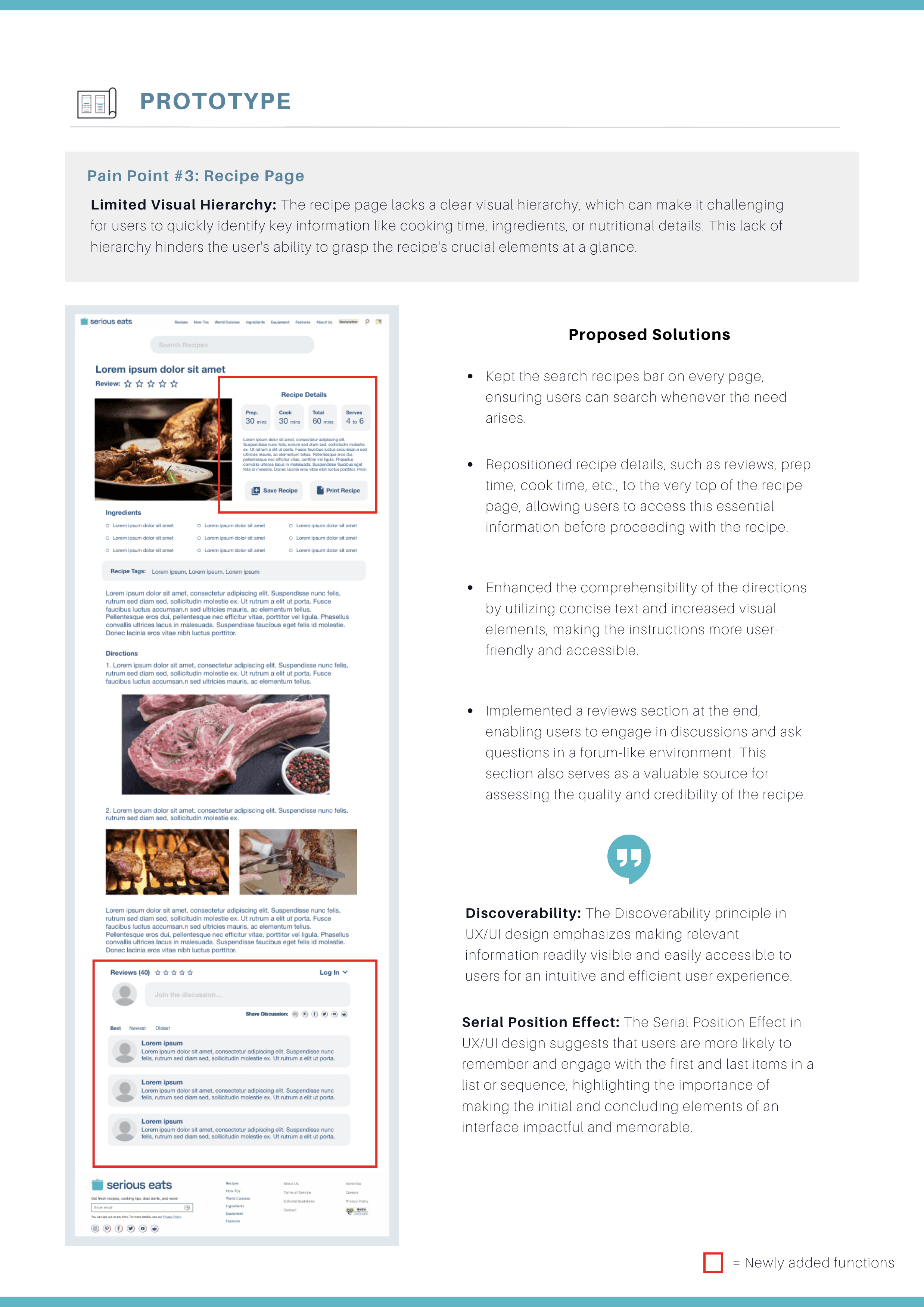
Limited Visual Hierarchy: The recipe page lacks a clear visual hierarchy, which can make it challenging for users to quickly identify key information like cooking time, ingredients, or nutritional details. This lack of hierarchy hinders the user's ability to grasp the recipe's crucial elements at a glance.
The Design Opportunity
How might we reduce content overload, clarify categorization, and improve visual hierarchy to create a more focused, intuitive, and user-friendly recipe browsing experience on Serious Eats?
Ideate
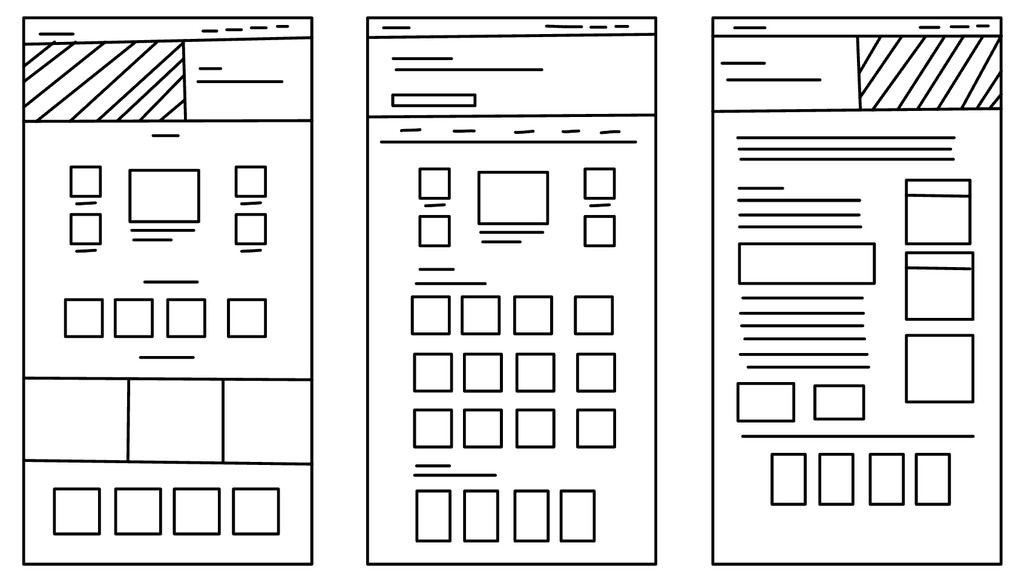
In light of these three identified issues, I started the brainstorming process by generating high-fidelity wireframes. Wireframes is an efficient way to conceptualize potential interface enhancements and new features at the initial development stage, ultimately saving time and reducing expenses associated with later revisions.
Solution
Streamlined Navigation & Clean Design
Incorporate a search bar, simplifying navigation to highlight essential content, and redesigning the homepage for a cleaner, more professional aesthetic that stays true to the Serious Eats brand.
Simplified Recipe Search & Reviews
Enhance recipe discovery by repositioning all recipe categories to the top for clearer navigation, simplifying filtering options for easier selection, and introducing a review and rating feature to help users quickly assess recipe quality and relevance.
Top Highlights & Community Feedback
Improve the recipe page by placing key details like reviews and cooking time at the top for quick access, simplifying directions with concise text and visual aids, and adding a forum-style reviews section to foster community interaction and help users evaluate recipe credibility.
Usability Testing
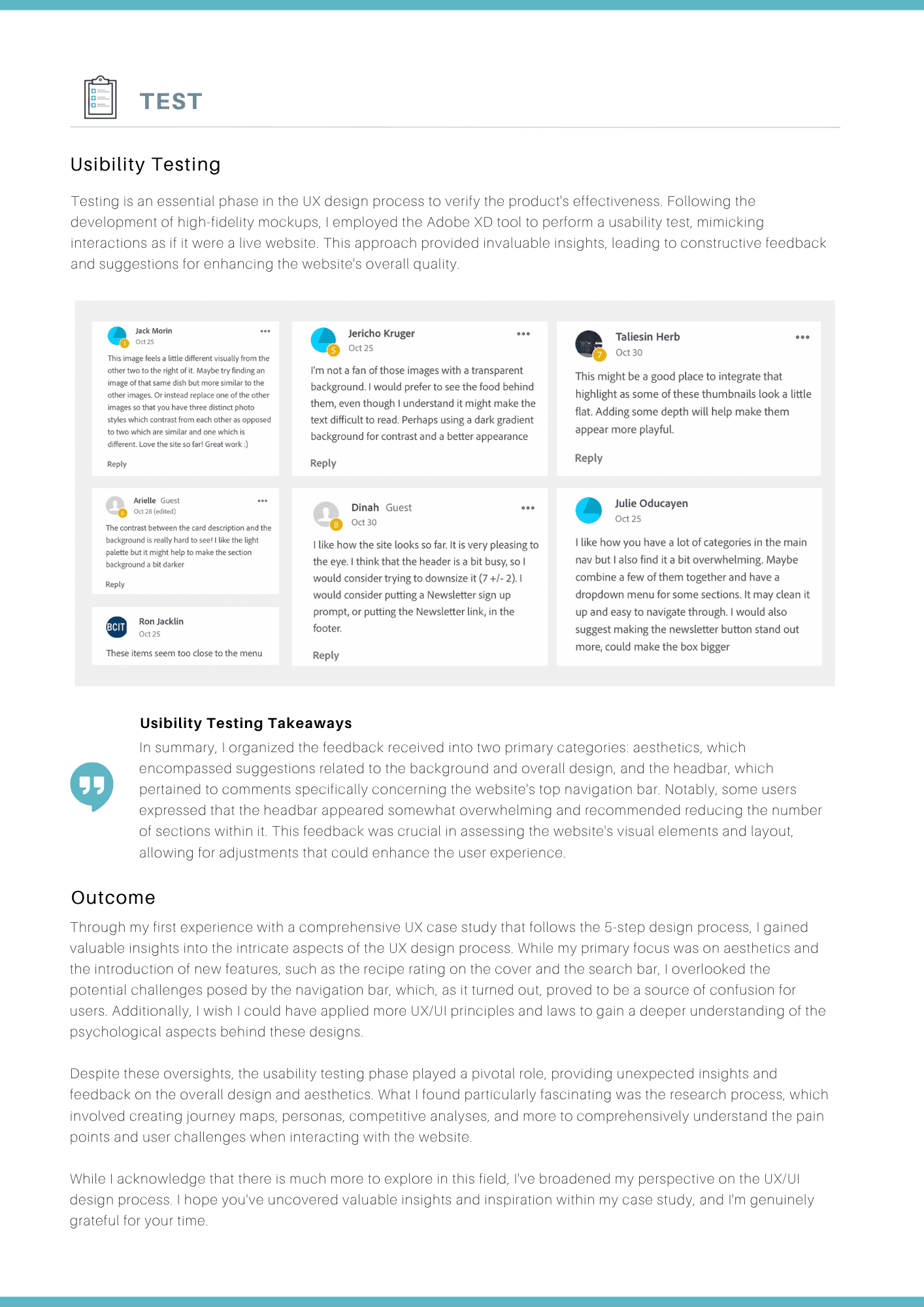
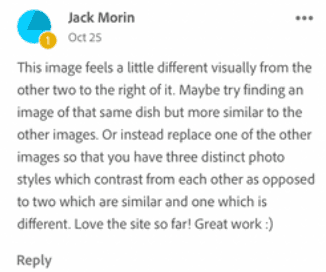
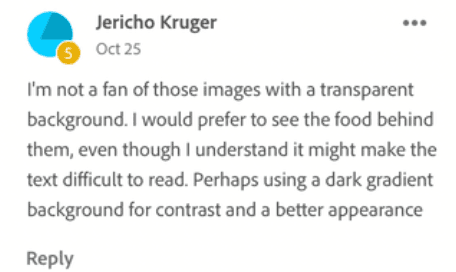
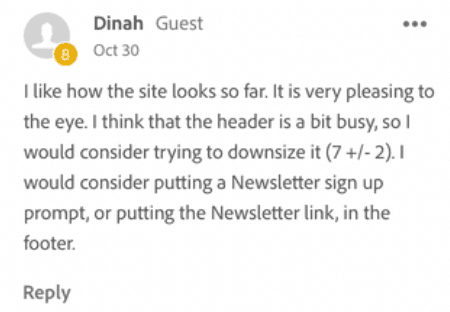
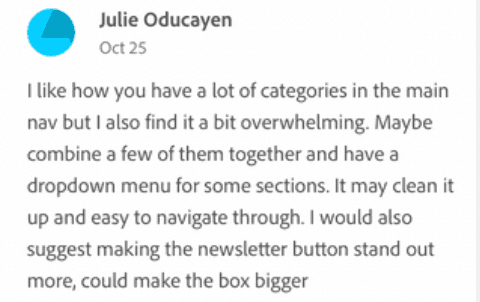
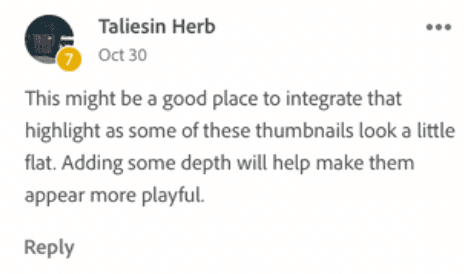
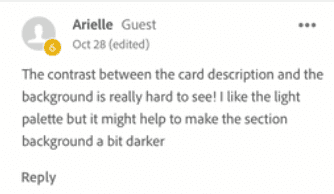
Testing is an essential phase in the UX design process to verify the product's effectiveness. Following the development of high-fidelity mockups, I employed the Adobe XD tool to perform a usability test, mimicking interactions as if it were a live website. This approach provided invaluable insights, leading to constructive feedback and suggestions for enhancing the website's overall quality.
Reflection and Takeaways
Successful UX design requires balancing visual appeal with usability, deeply understanding users through research, and embracing iteration based on testing and feedback.
This experience taught me the importance of balancing visual design with functionality and applying UX principles more thoughtfully to anticipate user behavior. Usability testing revealed unexpected pain points, while the research phase, which involved journey maps, personas, and competitive analysis, helped me build empathy for users and better understand their needs. Overall, this project broadened my perspective on UX/UI design and highlighted the value of iterative learning through research and feedback.